info@gpprint.co.uk   |   01733 340 622   |   About Us   |   FAQs   |   News
Need any help? Email us and we can do the rest.
By Pete

Let's Talk Image Quality

Sat 5th March 2022

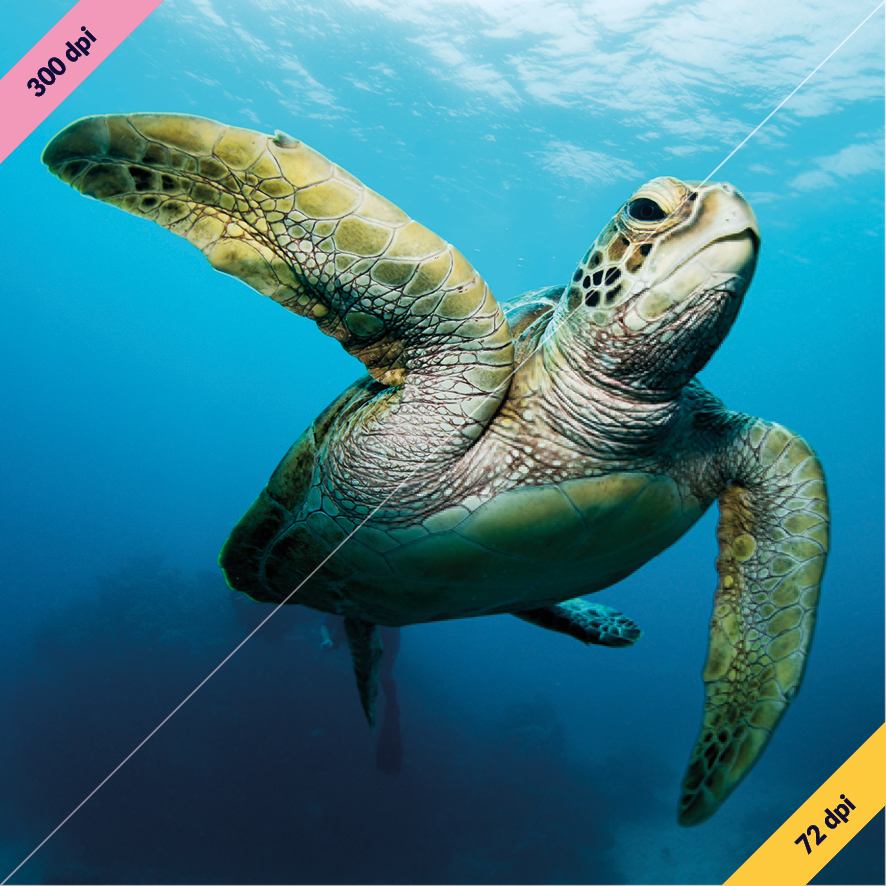
Image quality example

Image quality example

So what is the best image quality to print with? Ideally no less than 300dpi for the best print quality. DPI stands for dots per inch so how many dots of the image are within a inch. The lower the number, the less dots so therefore it starts to look blocky. Jpegs image file type do a great job of blending these dots but it still doesn’t help improve the overall quality.

It is worth noting that if you have a low resolution file lower than 300dpi you can save as a higher dpi but this doesn’t necessarily improve the quality. All you are doing is manufacturing dots from the blend in-between.

Also, if you have a 300dpi image file that you choose to make bigger, then the dpi reduces. For example, if you have a 50x50mm image at 300dpi and increase to 100x100mm, then the dpi will be 150.
Top Tip if you are not sure how an image will print, try zooming into the image on your device up to 175% - if this looks awful chances are your print will too.

When saving your image you want to ensure no less than 300dpi and saving as a TIFF or PNG will create the best result.

The best file type if at all possible would be what is known as a Vector which is an outlined file type such as EPS or Ai. This is commonly used for logos as they tend to be shapes and or text. A vector is an outlined image similar to that of a wire diagram. As you make this bigger, the lines keep their shape but expand. Imagine the expanding plastic ball you have probably seen kids shrinking and enlarging in their hands, this is what happens to the outlines of your design.

If you are uncertain about any images or files please feel free to email us info@gpprint.co.uk and we will always be happy to help.

Likes
« Back to Articles

2026 Design Trends You Will See Everywhere And How They Work in Print

Explore the key design trends for 2026 and how they translate into effective print marketing, from t...

Wed 28th January 2026

Read more...

Valentine’s Day Marketing Ideas Using Print That Will Get Noticed

Discover Valentine’s Day marketing ideas using print, from flyers and gift vouchers to packaging a...

Tue 20th January 2026

Read more...

Pantone Colour of the Year 2026: How to Use ‘Cloud Dancer’ in Print & Branding

Discover how Pantone’s Colour of the Year 2026, Cloud Dancer, can be used in print and branding to...

Fri 9th January 2026

Read more...

Happy New Year from Everyone at GP Print

Happy New Year from everyone at GP Print. We’re looking forward to helping your business with prin...

Mon 5th January 2026

Read more...

Merry Christmas from GP Print

A festive thank you to our customers from everyone at GP Print, plus our Christmas opening hours and...

Fri 19th December 2025

Read more...

Meet Cloud Dancer: Pantone’s Colour of the Year 2026

Discover Pantone’s Colour of the Year 2026, Cloud Dancer, and how this soft, calming shade can be ...

Tue 23rd December 2025

Read more...

Preparing for Post-Holiday Promotions: Refreshing Your Print Materials

Get your business ready for January with refreshed posters, flyers, signage, loyalty cards and packa...

Wed 3rd December 2025

Read more...

Gift Vouchers & Certificates: Creative Ideas & Printing Tips

Boost sales with custom-printed gift vouchers and certificates. Professional designs, premium finish...

Fri 21st November 2025

Read more...

Limited Edition Holiday Packaging: Add Value to Your Products

Boost your Christmas sales with limited-edition packaging. Discover festive print ideas — from box...

Fri 14th November 2025

Read more...

Winter Event Posters & Signage: How to Make It Impactful

Make your winter event stand out with bold, weatherproof signage and festive posters. Discover desig...

Mon 10th November 2025

Read more...