Printing mistakes can be frustrating, time-consuming, and expensive. Whether printing flyers for your business or creating invitations for a special event, it's essential to avoid common printing mistakes to ensure your printed materials come out perfectly every time. In this blog post, we'll discuss the top 5 printing mistakes to avoid and provide tips on preventing them.
Ensure thorough checks before sending artwork to print
1. Underestimating proofreading
One of the most common printing mistakes is forgetting to proofread your document before sending it to the printer. Spelling errors, grammar mistakes, and formatting issues can make your printed materials look unprofessional and may even cause confusion for your readers. To avoid this mistake, take the time to carefully proofread your document before sending it to the printer. Consider asking a colleague or friend to review it to catch any errors you may have missed.
2. Using Low-Resolution Images
Using low-resolution images can result in blurry or pixelated prints. To avoid this mistake, ensure that any pictures of your document are high-resolution and have a minimum resolution of 300 DPI dots per inch. This will ensure that your images look clear and crisp when printed. If you need clarification on the resolution of your pictures, consider consulting with a graphic designer or printing professional.

How resolution affects image quality
3. Choosing the Wrong Paper
Choosing the wrong paper can also result in poor-quality prints. Different types of paper have different thicknesses, textures, and finishes that can impact the final appearance of your printed materials. For example, using glossy paper for a document with much text can result in glare and make it difficult to read. To avoid this mistake, consider the purpose of your printed materials and choose a paper appropriate for your document's content and style.
4. Incorrect Bleed Settings
Bleed refers to the area of a printed document that extends beyond the trim edge of the page. This is important to consider when printing materials with backgrounds or images extending to the edge of the page. You may have a white border around your document or uneven edges without proper bleed settings. To avoid this mistake, ensure your document has the correct bleed settings before sending it to the printer. If you need help setting up bleed in your document, consult a printing professional or refer to your printer's user manuals.
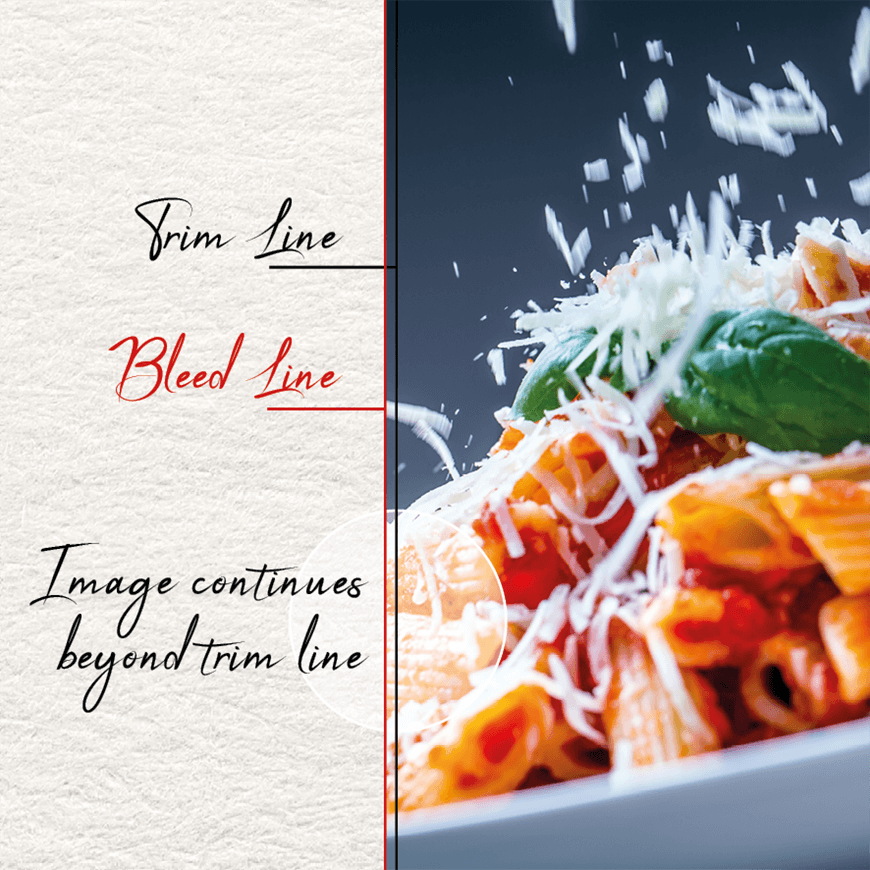
Correct bleed and trim settings ensure the best print outcome
5. Ignoring Printer Margins
Printer margins refer to the amount of space between the edge of the page and the printable area. Different printers have different margin requirements, and ignoring these margins can result in text or images being cut off or distorted. To avoid this mistake, ensure your document has the correct margins before sending it to the printer. Most printers have default margin settings, but you can adjust these settings in your document software if necessary.
In conclusion, avoiding common printing mistakes can save you time, money, and frustration. By taking the time to proofread your document, using high-resolution images, choosing the right paper, setting up bleed correctly, and paying attention to printer margins, you can ensure that your printed materials come out perfectly every time. If you still need to figure out how to avoid these mistakes, consider consulting with a printing professional for guidance and advice.
Print specialists, GP Print, are here to help you get the best printed products at the best price with no faff. For all print needs, questions or consultations, check out our Peterborough print services.
